📓 3.4.0.10 Firebase Documentation
Let's briefly review some important details about referencing Firebase documentation. With so much information in the docs, it can be easy to get lost or find yourself looking at the wrong docs.
Firebase Documentation
When accessing the Firebase docs from its homepage https://firebase.google.com/docs/, take note that guides on using Firebase and its products are found via the Build menu item, and the API reference (with details about object types) is found via the Reference menu item:
Anytime you are looking at a build guide or the API reference, make sure that you're reading the docs for Web modular API (the modular version):
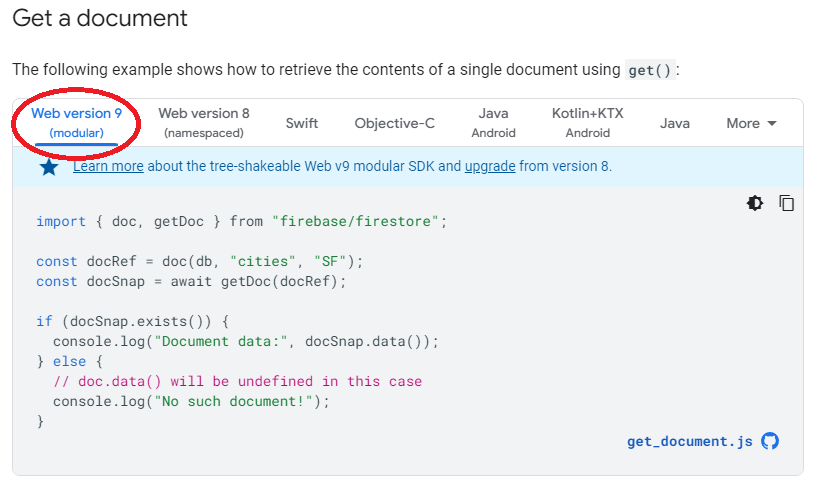
The same is true for any code snippets: anytime you are looking at code examples in a build guide, make sure that you are looking at code from Web modular API (the modular version). For example, in the following code example from the Firestore docs on getting a document, we have the Web modular API selected, which is circled in red in the image below.