📓 3.5.3.1 Further Exploration: Animations with React
We can use animation for a wide range of effects such as guided focus, loading wheels, visualizations, and for improving a user's experience, among other things.
If we look at notable React applications we can see this interactivity in action. For instance, check out Airbnb's site. Notice how the menu options slide in and out when hovering over the logo. Another example is the loading animations at the bottom of the page:
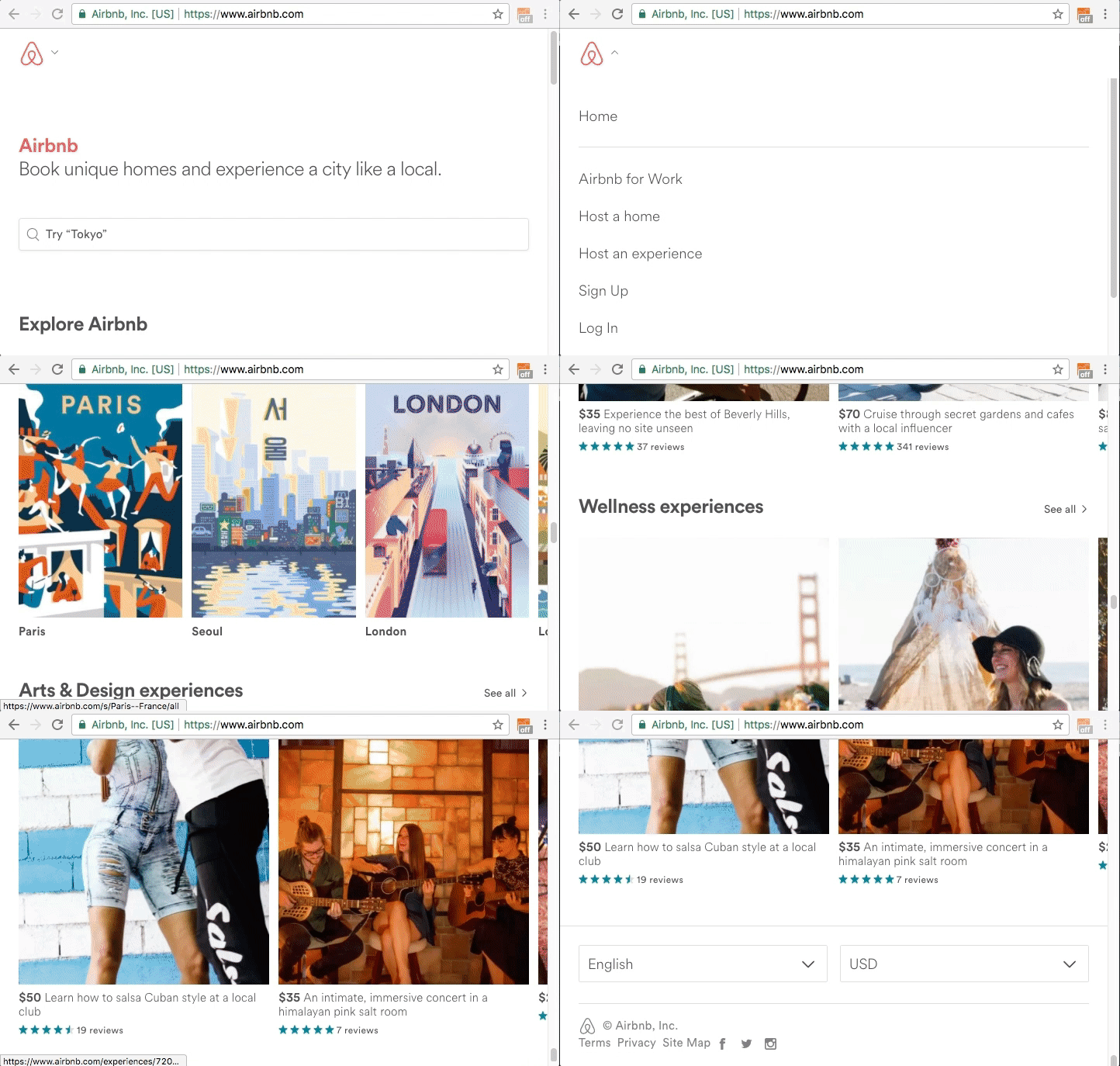
Subtle effects like this can make a huge impact on user experience. Loading animations let users know that more information is coming and hopefully provide a pleasant transition.
The online store Everlane is also built with React. Let's take a look at some of the animations on their splash page:
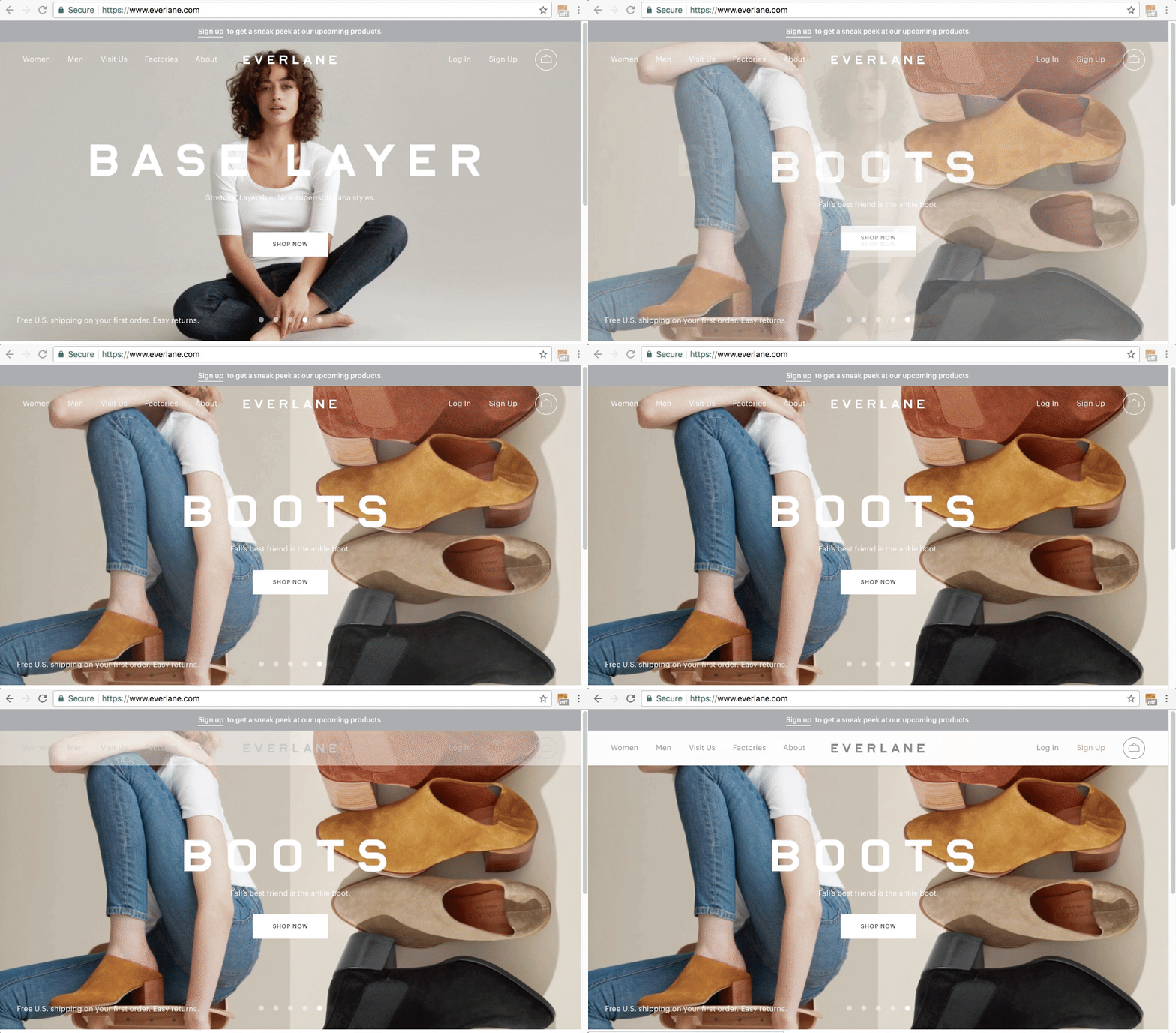
Links and other clickable content change color when hovered over, adding a feeling of interactivity and responsiveness. Menus and navigation options slide in and out of views and images in the carousel also slide gently in and out. This gives the site a professional, polished look, and also encourages the user to have a pleasant experience.
In this lesson, we'll discuss some of the animation tools at our disposal. Most of these tools can also be used with React Native applications.
React Transition Group
Transitions are just what they sound like: a type of animation that changes as components enter and leave the DOM.
React Transition Group is a small, long-standing library that specializes in exactly this. It doesn't animate anything itself. Instead, it tracks whether a component is entering or leaving and applies class names at each stage, and we write the actual animation in CSS. The components it gives us are <Transition>, <CSSTransition>, <SwitchTransition>, and <TransitionGroup>.
Because we write the animation in plain CSS, this is a good library to start with if you're already comfortable with CSS transitions and just need React to tell you when to trigger them.
react-spring
The react-spring library takes a different approach. Rather than describing animations in terms of durations and easing curves, we describe them in terms of physics: a value springs toward its target with a given tension and friction. The result tends to feel more natural than a fixed-duration transition, especially for anything a user interrupts mid-animation.
Its API is built around custom hooks, which means it fits the patterns we've already been using all section. Start with useSpring, which animates a single set of values, and then look at the other hooks such as useSprings, useTrail, useTransition, and useChain as you need them. Each one has a live demo in the docs, and there's a gallery of examples worth browsing.
Motion
Motion is a production-ready animation and gesture library. You may see it referred to as Framer Motion in older tutorials and older codebases, since that was its original name.
Motion divides its functionality into animations, gestures, and variants. "Gestures" refer to animations related to hovering, dragging, and tapping. We can think of these animations as responding to the gestures we make with a mouse or touch screen. "Variants" let us name a set of animation states, such as open and closed, and then animate between them by name, which keeps complex animations readable.
Motion's central idea is the motion component: we write <motion.div> instead of <div> and then hand it props describing what to animate. That makes it approachable, because the markup looks almost identical to the JSX we already write. The library provides a gallery of examples to explore.
Choosing Between Them
There's no single right answer here, but a rough guide:
- Reach for React Transition Group when the animation is mostly a CSS problem and you just need React to tell you when an element is entering or leaving.
- Reach for react-spring when you want physics-based motion, or when you're animating values that the user might interrupt partway through.
- Reach for Motion when you want a broad toolkit with gestures, layout animations, and a declarative props-based API.
You'll also come across older libraries in existing projects. React Motion, for example, was one of the inspirations for react-spring and provides <Motion />, <StaggeredMotion />, and <TransitionMotion /> components, though it hasn't seen active development in a long while. It's useful to recognize, but not where we'd recommend starting a new project.